
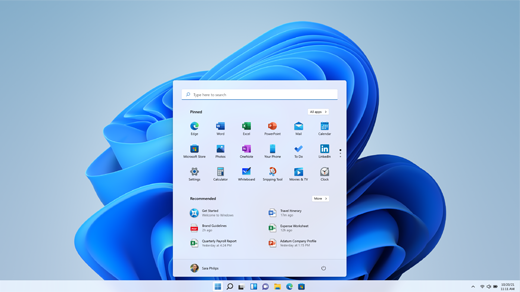
New Windows Machine Options
If You Decide to Buy a New Windows Machine, Which One?
Reliability, Support and Service
My first criteria for choosing a computer is reliability/support/service. After all, if it’s cheap, but it doesn’t last, or it gives you problems, you didn’t really save anything, did you?
Here are some useful links about these topics:
- Trust This Tech: The Most Reliable PC, Phone, and Tablet Brands for 2025
- The Best (and Worst) PC Brands for Tech Support and Service
Apple almost always comes out top, but they don’t make Windows machines. I’ll talk about Apple machines elsewhere.
Among Windows machines, LG and Alienware were surprises to me in these listings. But the mainstream manufacturers that came out on top were:
- Dell
- HP
- Lenovo
Personally, I’ve never been much of a fan of HP computers, although I do own an HP Chromebook that has been quite good.
I recently helped my daughter choose a new laptop, and ended up choosing a Lenovo. I also have a positive opinion of Asus (but less so of Acer).
Price?
It’s tempting to choose a cheap computer, especially if you’re on a budget. But, usually that can be a mistake:
- Cheap computers often lack power, run out of memory, and often end up being unreliable.
- They also tend to have smaller screens, so eyestrain can become an issue.
Spending a little more can really reap benefits, if you can afford it.
Desktop, Laptop, or All-in-One?
Laptops
If you really need the portability, then laptops are, of course, the way to go. But my daughter thought that she needed a 17-inch laptop. I managed to convince her to choose a smaller laptop (a 14-inch), because:
- Lugging a 17-inch laptop around is not fun. They tend to be heavy.
- 17-inch laptops are more expensive, and there are fewer models to choose from, so finding a good price is harder.
- You can always add a larger monitor to a laptop when you’re at home, or at work; you don’t have to lug a monitor around.
All-in-Ones
An All-in-One computer comes with all the electronics built into the same enclosure as the monitor, and usually come bundled with a mouse and a keyboard. Because of the bundling, they are often cheaper than a regular desktop. However:
- The quality is often lower – especially the mouse and keyboard are often cheap.
- Upgrading memory, network cards, etc. is usually harder, if not impossible.
- When you eventually need to replace it, you have to buy everything new (maybe not the cheap mouse and keyboard). If you had bought a regular desktop, and separate monitor, then you most likely could keep on using your old monitor, and just replace the CPU/memory box.
Desktops
If you don’t need portability, then I recommend a desktop:
- You can choose your components separately, which gives you more flexibility.
- You can choose a monitor of a size and performance that meets your needs, and upgrade as necessary, later.
- You can choose which CPU, how much RAM (memory), what graphics board, etc. Upgrading these later is usually much easier than for laptops or all-in-ones.
Small Factor Desktops
Recently, a torrent of small factor desktop boxes has been introduced. They have significantly improved the costs of choosing a desktop.
For comparison, here are some desktop boxes:
A Typical Dell Desktop Box

Dell Small Format Dell Box
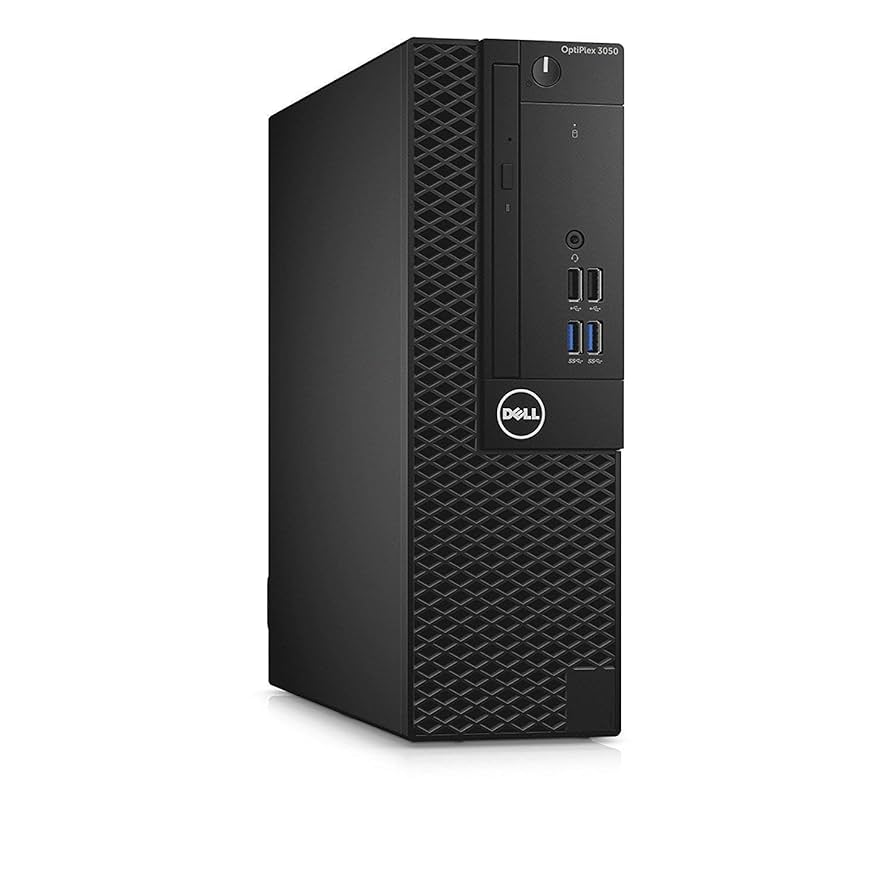
Smaller Format Dell Box
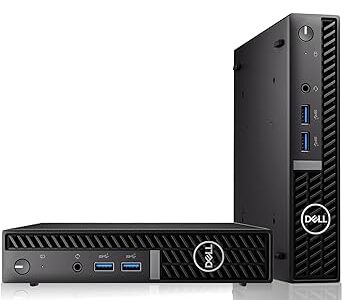
Recent Small Format Box
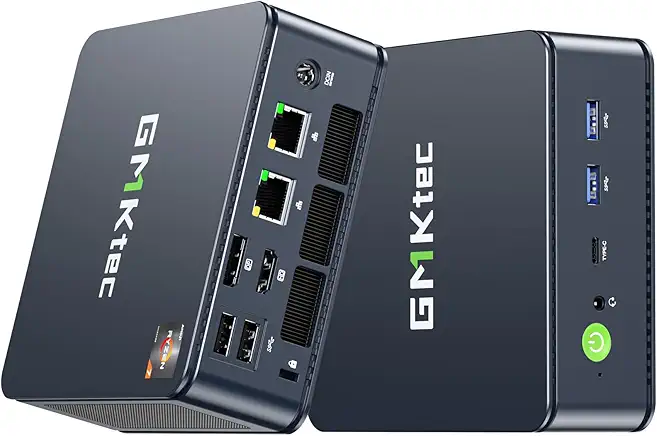
The size of these really small machines belies their capabilities. Here’s a link to a recent comparison of the best of them:
The prices are right (although see my warning above of not necessarily choosing the cheapest one), and their performance can be surprising.
These are probably the most cost-effective choices for getting into a new desktop. If you already have a monitor, a mouse, and a keyboard, that’s pretty much all you need.