|
| |
A "Shuttle" Program
Write a Java application that implements a "Shuttle
control".
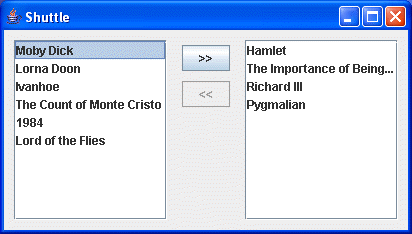
It should look like:
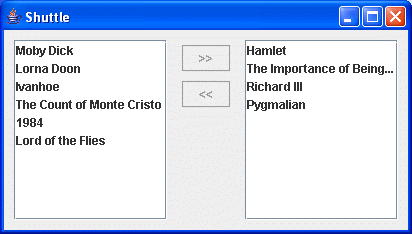
In other words, two List boxes -- a left List and a right List
-- with two Buttons placed between them. (The contents of the
Lists are just representative of what can be placed in there.)
Note:
I want you to write the code to do
this; do not merely use your Java IDE (JBuilder,
NetBeans, Eclipse, etc.) forms
generator to do it! (Although you can learn a lot about how
to do it by experimenting with your IDE forms generator, if
you have one!!)
Note: Be sure to place the
class in the package shuttle!
Now implement the program actions as follows:
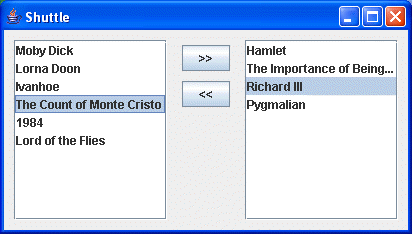
- The upper button (the one labelled "
>>")
is enabled if an item is selected in the left list, and
disabled otherwise. (Allow only a single selection.)
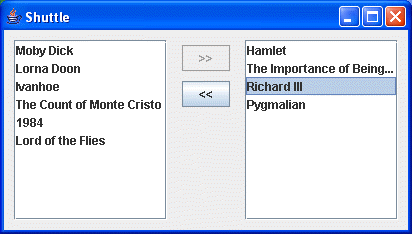
- The lower button (the one labelled "
<<")
is enabled if an item is selected in the right list, and
disabled otherwise. (Allow only a single selection.)
For example:
- When the upper button ("
>>") is clicked,
the selected item in the left list is removed from the
left list and inserted into the right list. Any selection
in the right list is not changed.
- When the lower button ("
<<") is clicked,
any selected item in the left list is removed from the
right list and inserted into the left list. Any selection
in the left list is not changed.
- In other words, list items are "shuttled"
backwards and forwards between the list boxes.
- After an item is selected in a list and then moved to the
other list, the selection in the source list after the
move will be as follows:
- If there is an item immediately following the
original item, then it will be selected.
- Otherwise, if there is an item immediately
preceding the original item, then it will be
selected.
- Otherwise, the list is empty, and there can be no
selected item.
- Double-clicking on an item is equivalent to selecting it,
and moving it to the other list; it is exactly
equivalent in all respects to selecting it, and
clicking on the appropriate move button. (This should suggest
opportunities for code reuse.)
- Be sure that clicking on the x in the
upper right hand corner of the application window causes
the program to exit. (Use the Swing facilities to do this.)
NOTE:
You will be using events; use
the JDK 1.1+ event model; do not use the JDK 1.0 event model.
(The JDK 1.1+ event model is the one that uses event listeners.) You
will have to investigate what events are generated by the
various components you're using, and handle those events
appropriately.
In particular, the JList Swing
component has two distinct types of events it can generate. You will
have to read the JList API (javadoc pages) carefully to determine both of them.
You will also most likely need to set
up a model for your JList components. I found DefaultListModel to be a
convenient model to use.
|