|
| |
Creating an Array
Two ways:
- Use
new and specify the size of the
array:
char buffer[] = new char[1024];
Grommet[] grommets = new Grommet[10];
Note where you can place the [] !
(Unlike in C or C++)
int ages[] = { 10, 35, 16, 92, 53 };
Each initializer value may be an
arbitrary expression (unlike C).
Notes:
- You cannot
say int ages[5]
because it is a declaration of a reference
to an array.
- What it refers to dynamically keeps track of its own length
(number of elements)
- So, the right-hand side must define
the number of elements.
- The reference variable ages can refer to arrays of different sizes
during its lifetime.
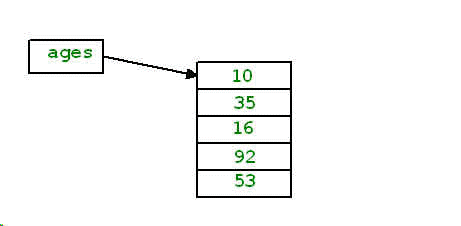
Here's the result of creating the array of
primitive types:
int ages[] = { 10, 35, 16, 92, 53 };
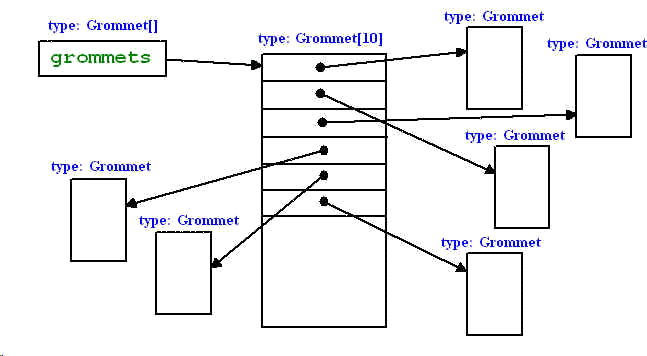
On the other hand, here's the result of creating an array of
reference types:
Grommet[] grommets = new Grommet[10];
Accessing an Array
- Indexes are 0-based, like C/C++
- An index is either of type int, or be convertible to
int
- Index values are bounds-checked!
- If bounds-checking fails at
run time, throws ArrayIndexOutOfBoundsException.
- The number of elements in the array
may be determined from the length field.
- Example:
int a[] = new int[100];
a[0] = 0;
for (int i = 1; i < a.length; i++)
    a[i] = i + a[i-1];
Destroying an Array
- Arrays are automatically garbage
collected, as are objects.
|
