|
|
|
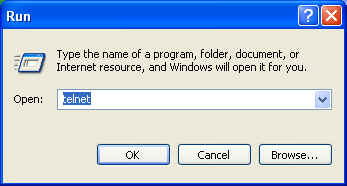
| A simple way of testing our ReverseServer is to use a telnet client to connect to it. Both Unix/Linux and Windows come with a telnet client. You can start the Windows Telnet client by clicking on the Windows Start menu's Run... menu item, and entering 'telnet' at the resulting prompt:
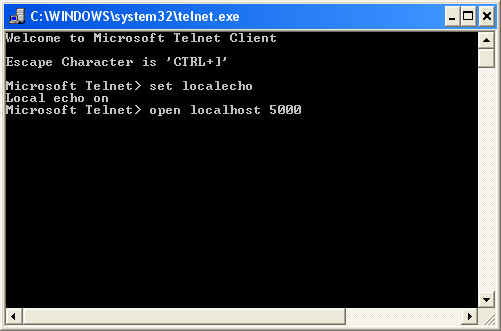
and clicking on the OK button. This results in the telnet client coming up in a console window, where you will need to set the telnet client's mode to local echo:
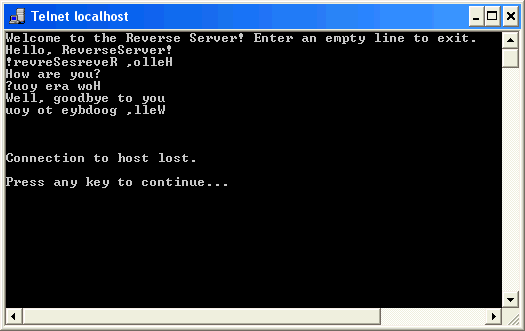
Then you connect to the specified host and port using the open command. For example, for our ReverseServer, running on the local machine, and listening on port 5000: This command connects to the server, and the contents of the window changes to:
As the previous window indicated, a Ctrl+] will allow you to return to the other mode. Now, you can interact with the ReverseServer:
Note that an empty line causes the ReverseServer to close down, which closes the connection. In other words, this version of the ReverseServer only handles a single client, and then exits -- not too useful! |
| The page was last updated February 19, 2008 |