|
| |
Here's an example of action events, using Swing buttons:
package swingExamples;

import java.awt.Color;
import java.awt.Container;
import java.awt.event.ActionEvent;
import java.awt.event.ActionListener;

import javax.swing.JButton;
import javax.swing.JFrame;
import javax.swing.JPanel;

class ColorButtonsPanel extends JPanel
    implements ActionListener
{
  public ColorButtonsPanel()
  {
    setBackground(Color.LIGHT_GRAY);
    add(m_yellow);
    m_yellow.addActionListener(this);
    add(m_blue);
    m_blue.addActionListener(this);
    add(m_orange);
    m_orange.addActionListener(this);
    add(m_cyan);
    m_cyan.addActionListener(this);
    add(m_pink);
    m_pink.addActionListener(this);
    add(m_red);
    m_red.addActionListener(this);
    add(m_white);
    m_white.addActionListener(this);
  }

  // ActionListener required methods
  public void actionPerformed(ActionEvent evt)
  {
    JButton button = (JButton) evt.getSource();
    Color back = Color.BLACK;
    if (button == m_yellow)
      back = Color.YELLOW;
    else if (button == m_blue)
      back = Color.BLUE;
    else if (button == m_orange)
      back = Color.ORANGE;
    else if (button == m_cyan)
      back = Color.cyan;
    else if (button == m_pink)
      back = Color.PINK;
    else if (button == m_red)
      back = Color.RED;
    else if (button == m_white)
      back = Color.WHITE;
    setBackground(back);
    repaint();
  }

  ////////////// Data //////////////////
  private JButton m_yellow = new JButton("Yellow");
  private JButton m_blue   = new JButton("Blue");
  private JButton m_orange = new JButton("Orange");
  private JButton m_cyan   = new JButton("Cyan");
  private JButton m_pink   = new JButton("Pink");
  private JButton m_red    = new JButton("Red");
  private JButton m_white  = new JButton("White");
}

class ColorButtonsFrame extends JFrame
{
  public ColorButtonsFrame()
  {
    setTitle("ColorButtons");
    setSize(300, 200);
    setDefaultCloseOperation(EXIT_ON_CLOSE);
    Container contentPane = getContentPane();
    contentPane.add( new ColorButtonsPanel() );
  }
}

public class ColorButtonsDisplay
{
  public static void main(String[] args)
  {
    ColorButtonsFrame frame = new ColorButtonsFrame();
    frame.setVisible(true);
  }
}
|
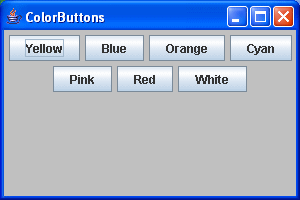
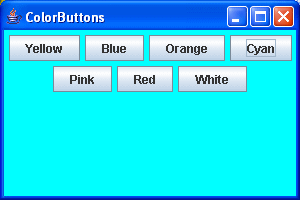
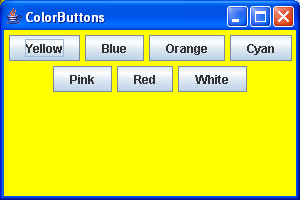
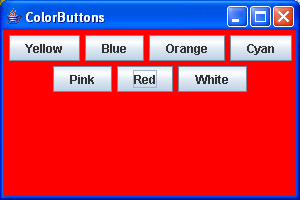
which produces this:
Of course, the first is the original contents, and the others are the result
of clicking on the appropriate button to change the background color.
|