|
| |
Here's a program that allows you to dynamically switch between various LAFs:
package swingExamples;

import java.awt.event.ActionEvent;
import java.awt.event.ActionListener;
import javax.swing.JButton;
import javax.swing.JFrame;
import javax.swing.JPanel;
import javax.swing.SwingUtilities;
import javax.swing.UIManager;
import javax.swing.UnsupportedLookAndFeelException;

class LookAndFeelPanel extends JPanel
{
  public LookAndFeelPanel()
  {
    UIManager.LookAndFeelInfo[] feels =
             UIManager.getInstalledLookAndFeels();
    for (UIManager.LookAndFeelInfo feel: feels)
      makeButton( feel.getName(), feel.getClassName() );
  }

  private void makeButton(String feelName,
                          final String feelClassName)
  {
    JButton button = new JButton(feelName);
    add(button);

    button.addActionListener(
      new ActionListener()
      {
        public void actionPerformed(ActionEvent event)
        {
          try
          {
            UIManager.setLookAndFeel(feelClassName);
          }
          catch (ClassNotFoundException ex)
          {
            ex.printStackTrace();
          }
          catch (InstantiationException ex)
          {
            ex.printStackTrace();
          }
          catch (IllegalAccessException ex)
          {
            ex.printStackTrace();
          }
          catch (UnsupportedLookAndFeelException ex)
          {
            ex.printStackTrace();
          }

          SwingUtilities.updateComponentTreeUI(
                                 LookAndFeelPanel.this);
        }
      }
    );
  }
}

class LookAndFeelFrame extends JFrame
{
  public LookAndFeelFrame()
  {
    setTitle("Setting Look and Feel");
    setSize(300, 200);
    LookAndFeelPanel panel = new LookAndFeelPanel();
    getContentPane().add(panel);
  }
}

public class LookAndFeelDisplay
{
  public static void main(String[] args)
  {
    JFrame frame = new LookAndFeelFrame();
    frame.setDefaultCloseOperation(JFrame.EXIT_ON_CLOSE);
    frame.setVisible(true);
  }
}
|
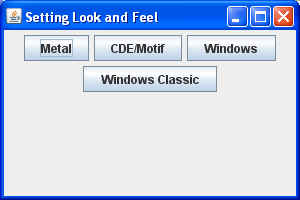
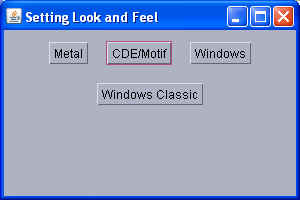
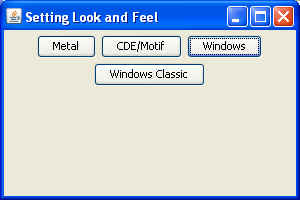
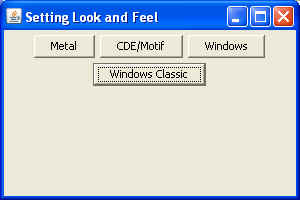
Here is a what it shows me on my Windows XP system, for Java 1.6:
You can tell which LAF is which by looking at the button that has the current
focus.
Note:
- In JDK 1.4.2, JavaSoft added a GTK+ L&F (GTK+ is a popular GUI
interface for Linux). Unfortunately, it doesn't seem to have made it
into JDK 1.5, or 1.6, at least in the Microsoft Windows release.
|